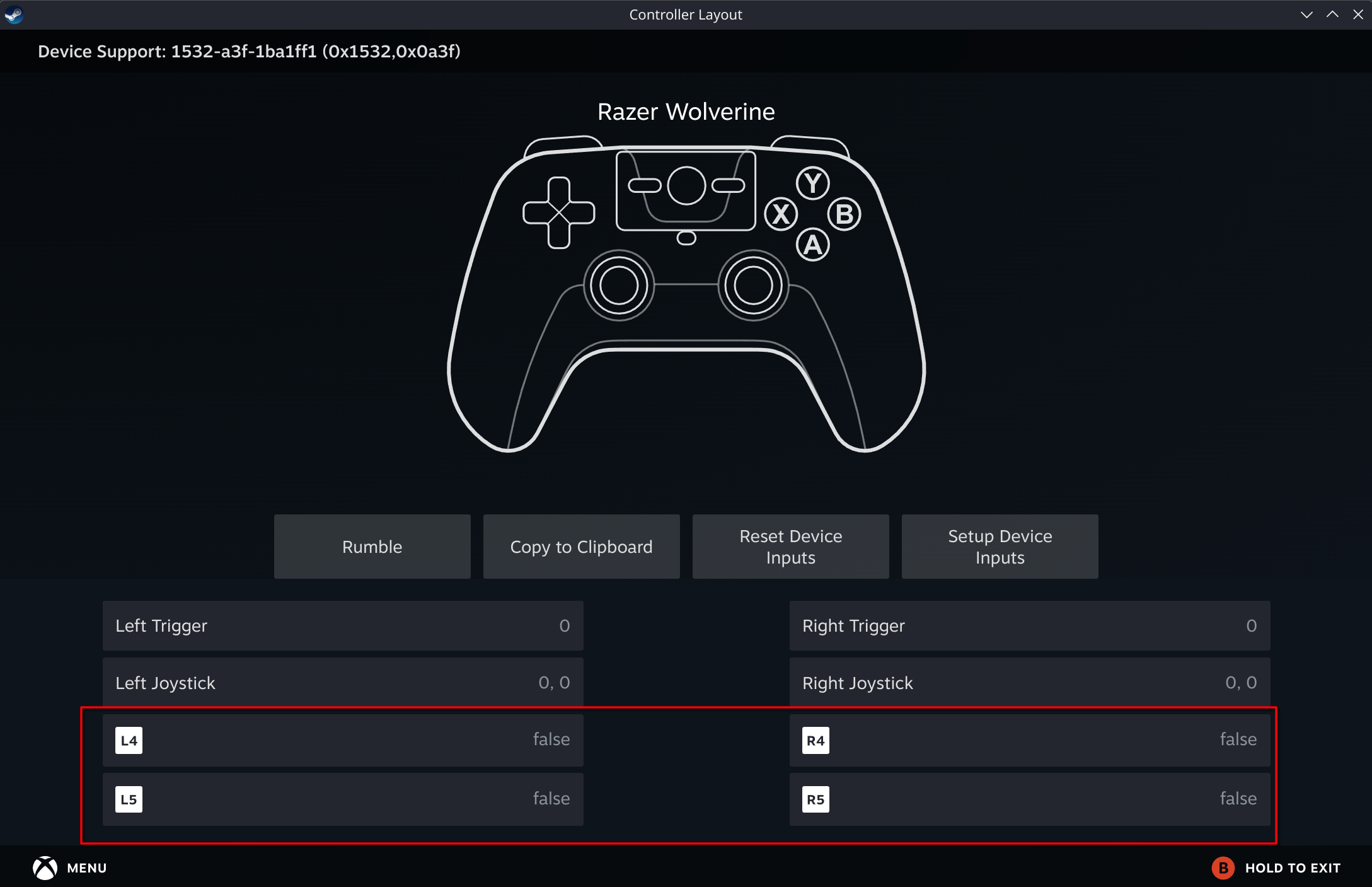
This Linux driver for Razer’s Wolverine V3 Pro enables usage of the back four paddles (M3-M6 buttons) as independent bindable controls in Steam.
Info
- Status: Released as open source
- State: Initial experimental release, SteamOS support only
- Source: GitHub
Download
For security, no direct download is available for this driver. Users must build the driver themselves from source.
The GitHub repository contains a script which completely handles building and management (install/enable/disable/uninstall) of the driver.
Follow the instructions in the “Quick Start” section of the repository’s README for further instructions.
Known Limitations
- Wired USB connection to the controller only. Wireless is not supported yet.
- The on-board button remapping procedure does not work while using this driver.
- When connected to the PC, all buttons on the controller will act with their original mappings.
- Resuming from sleep, or rebooting the computer will require you to disconnect and reconnect the controller before it will be detected again.
Important: All functionality is restored to default once the controller has been disconnected from USB. This driver makes no permanent changes to your controller.
Why
By default, the Wolverine V3 Pro does not expose the back paddles as independent buttons to the host OS. This means that the only way to use these paddle buttons is to use the on-board remapping to choose another button for the paddle to act as.
This limits how you can use the controller in Steam. If you wanted to have each paddle perform separate actions which aren’t mapped to other gamepad buttons already, then there’s no way to do it. You might work around it by mapping them to less-used buttons (such as the d-pad), but this restriction can feel very limiting.
This driver aims to fix this problem. When this driver is built and enabled, Steam recognizes the four back paddle buttons on a Razer Wolverine V3 Pro as independent buttons which can be each be bound to any keyboard key, mouse button, gamepad button, and so on that Steam Input supports.
How it works
By default, the Razer Wolverine V3 Pro does not emit separate button pressed events for the paddle buttons. When the paddles are remapped to another button, these buttons act exactly like the button they’ve been mapped to. On the host OS side of things, there is exactly no difference between the A button being pressed, and one of the back paddles which has been mapped to A being pressed.
Using reverse engineering of the most recent published controller firmware update, it was discovered that the controller actually contains a built-in diagnostic mode which emits every button as a separate button id. Live testing confirmed that when the controller is put into this diagnostic mode, the host OS receives different data which indicates when any M button has been pressed.
It was then confirmed that this diagnostic mode was temporary, and the controller reverted to normal behavior once disconnected from USB.
When installed, the driver emits a special packet to enter the diagnostic mode to any USB device that uses the Wolverine V3 Pro USB ID: 1532:0a3f. It confirms the expected response from the controller indicating that the controller has entered the correct mode, then updates the original driver’s button mappings for this different mode.
Once running, this driver will continue to work until next reboot, including if you change into “Game Mode” on SteamOS. If preferred, the installer script for the driver can assist with installing a startup script to automatically apply the driver on all future boots.